Is the model sound?
Health check of the IFC file itself: one project, unique and valid GlobalIds, a complete spatial hierarchy, names, materials, units, schema and classification.
Check every IFC model before it leaves your office: model health, IDS requirements, clashes, and what changed since the last issue. It runs on your computer, and the model stays there. Every check you run is kept on record.
Whether to work in BIM is settled. What a BIM manager still has to answer, model after model, is whether this issue is fit to send. Modellwarte answers each of these in one run.
Health check of the IFC file itself: one project, unique and valid GlobalIds, a complete spatial hierarchy, names, materials, units, schema and classification.
Validate the model against the client's IDS file, the buildingSMART format for information requirements. Each failed requirement points to the elements behind it.
Clash detection between disciplines, with clash sets you define. Each clash gets a viewpoint and goes out as BCF to the authoring team.
Compare two revisions of a model: new and removed elements, changed attributes and properties, elements moved beyond a tolerance. Review only what is new.
Every run is stored with its date, the rule package version and the file's fingerprint. Months later you can still say which model was checked, how, and with what result.
Checks are deterministic, and rule packages are signed and versioned. When a client questions a finding, you can point to the exact rule set it came from.
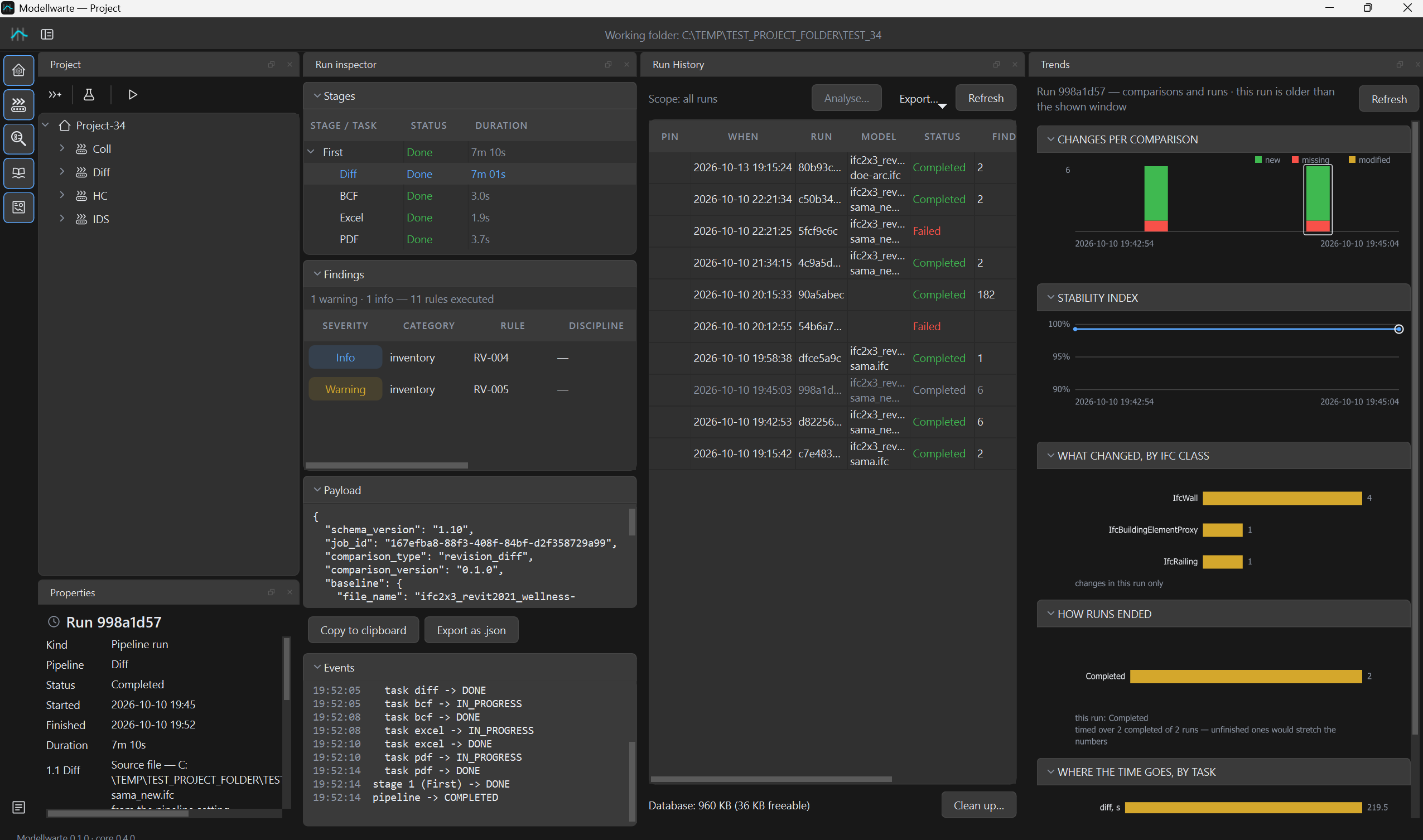
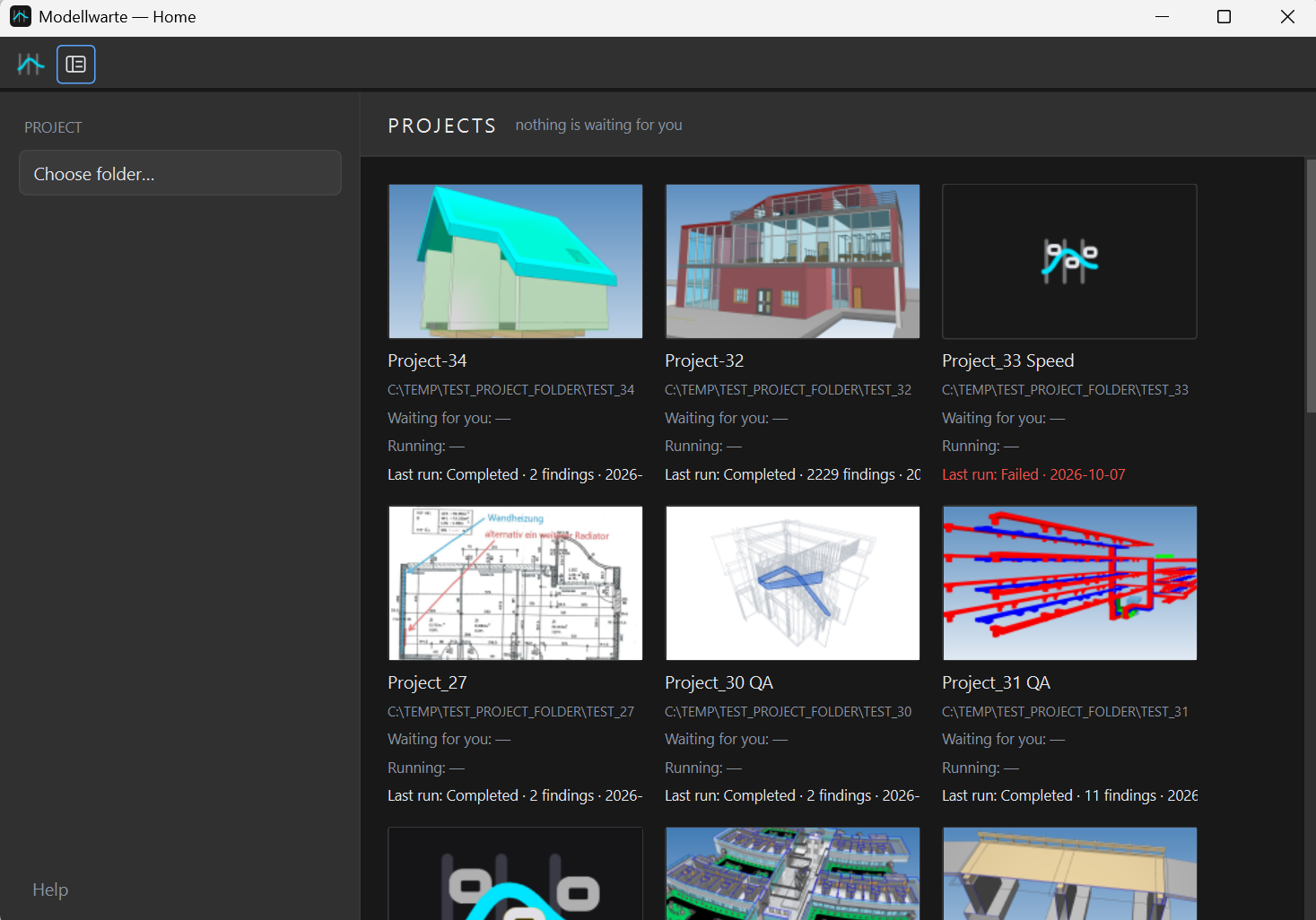
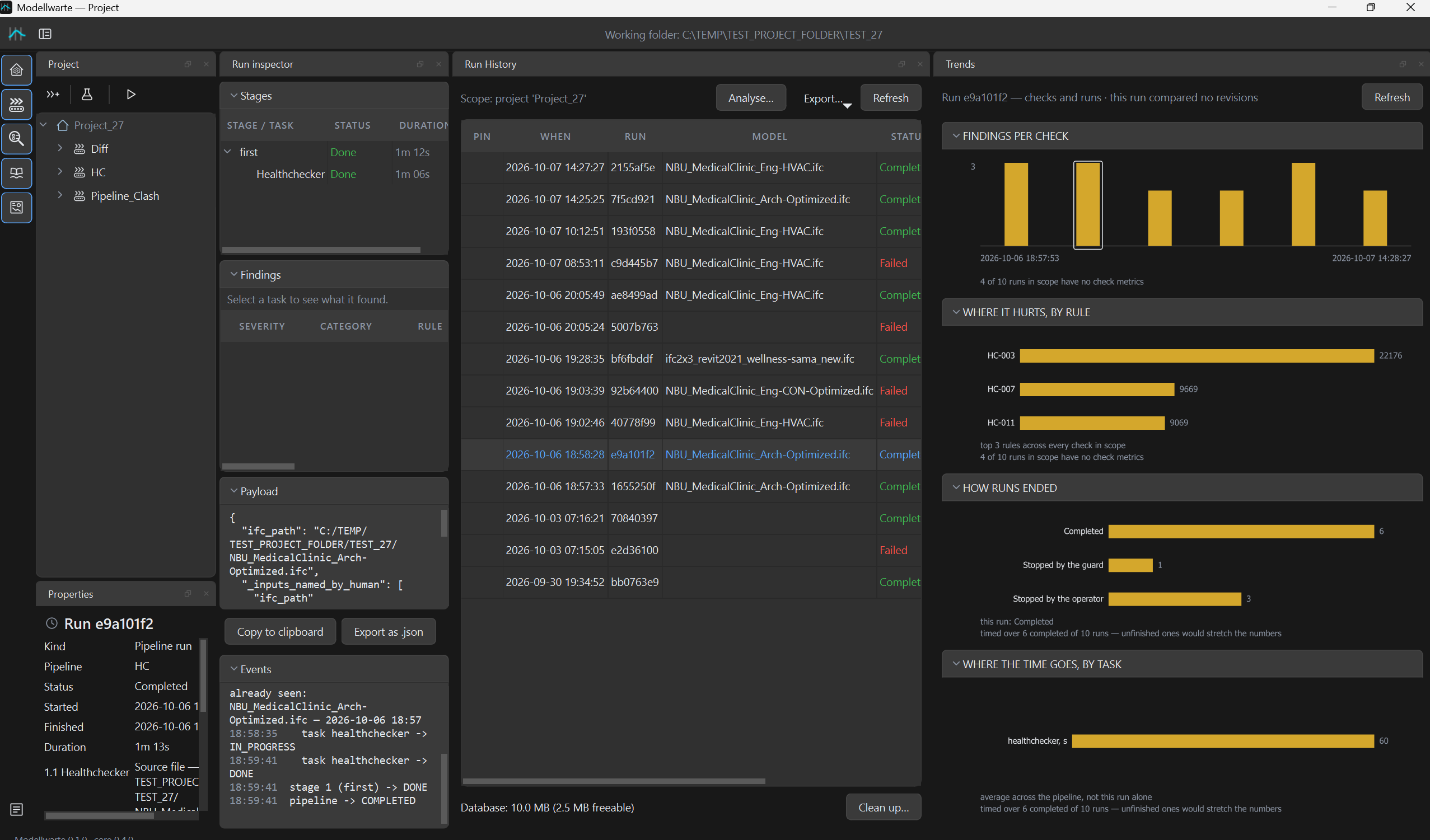
A Windows desktop application for BIM managers. Projects on the left, results with element snapshots in the middle, trends from run to run.
 screenshots/results.png
 screenshots/start.png
 screenshots/trends.png
Many projects come with an NDA, and some are public-sector work. Modellwarte is a desktop application, so nothing gets uploaded and no server needs to be set up. We test this: a full check runs with network access blocked.
Your history stays yours: run history readable without our software. It is an SQLite database with versioned JSON run records, and any SQLite tool opens it. If you stop using Modellwarte, your archive stays with you.
We are building an optional connection to your own n8n server. Modellwarte does the counting on your computer. Your n8n workflow turns the numbers into a cover note for the client and can post it to your team chat. The check itself never depends on it.
After a run, Modellwarte compares it with the previous successful run and builds a short summary of numbers.
{
 "diff": {
   "added": 45 },
 "clashes": {
   "new": 4,
   "resolved": 18 }
}
Only this summary goes to the webhook you configure. No geometry and no IFC file. Modellwarte waits up to 30 seconds for a reply.
Your workflow sends the summary to the language model you choose and returns the text. It can also post it to Telegram or Teams.
The note is saved as ai_summary.md in the run folder, next to the reports.
Install it, point it at a project folder and run. There is no server to install and no database to administer. A BIM manager can set it up the same day.
Choose a local project folder. Its run history is stored with it, so the whole project can be archived or handed over as one folder.
Build a pipeline from health check, IDS, clash and revision comparison steps, then save it as your office standard.
The pipeline can pause at a step and wait for someone to sign it off. That sign-off goes into the record.
Send a run report to the client and BCF topics to the authoring team. Track the trend from run to run.
If yours is missing, ask it in the beta request. Every request gets a personal reply.
Any software that exports IFC. Modellwarte is tested on models from Revit, Vectorworks, SketchUp, Bonsai, Scia, DDS-CAD, TopSolid and others, in IFC2x3, IFC4 and IFC4.3.
No. Modellwarte is a Windows application that works with a local project folder. The project folder should be on a local drive. Models can come from a network share.
BIM managers, BIM coordinators, architects and engineers who check IFC models in their daily work. The beta is a free test: its purpose is to improve Modellwarte on real models and with real feedback.
Nothing. Beta users get the full version free for the beta period of three to four months. In return we ask for a short feedback call every two weeks.
The beta is there to improve the software and to learn whether it helps in practice. What comes next depends on that, and every participant hears about it before the beta ends. Your reports and run history stay on your disk either way.
It stays with you. Reports are ordinary files. Run records use a documented, versioned format that can be read without Modellwarte.
Reports are in English for now. If you need another language for your clients, tell us in the beta request. It helps us decide what comes next.